
Standard ECOM Device - Controller Area Network (CAN) to USB hardware interface
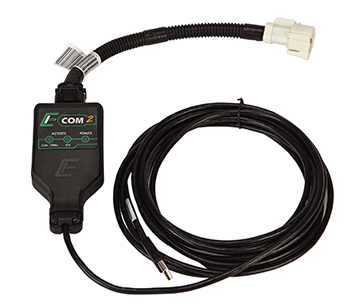
The Standard ECOM cable is a USB2.0 high-speed device that allows Controller Area Network (CAN) traffic to be transmitted and received using a computer or laptop. It was originally designed by EControls to provide a CAN interface for OEM customers to communicate with our ECUs. Now we are offering it to anyone for custom software development. The ECOM has been in use by EControls and our OEM customers since 2006 and is designed using the same quality components that go into our ECUs.
The Standard ECOM device will not work with the CANCapture software. It is used for custom application development using the ECOM DLL and API Library.

Features
The standard ECOM is only for use with custom user-developed software and will not work with CANCapture. The unlocked ECOM will work with both custom user-developed software and CANCapture.
Standard ECOM Software Features:
- Easy-to-use API supports most programming languages - C, C++, Visual Basic, VBA for Excel, C#, J#, .NET, Java and any other language that can load a DLL file.
- Supported by Windows 2000, XP, Vista and 7
- Can easily handle full bus loads at up to 1Mbit/s
- Includes examples of capturing CAN data directly from Microsoft Excel, C/C++, Java, LabView and C# .NET.
- 29-bit, 11-bit, Error frames, remote transmission and hardware based self-reception all supported.
- Hardware timestamps with 64us resolution.
- SAE J2534 compatibility with ETAS INCA V6.0 and greater
Standard ECOM Hardware Features:
- Circuit board is protected by an environmentally resistant conformal Hi coating to keep it resilient to weather and other extreme environments.
- Completely powered by the USB bus on your laptop or PC (<125mA @ 5V). CAN port is electrically isolated for robust and reliable connection.
- Includes a sealed 15-foot USB cable to make it easy to connect to distant engine compartments or test cells.
- The power LED turns red when first plugged into a PC, and then changes to green once the Windows drivers have been fully installed and loaded. This takes all the uncertainty out of the windows installation and makes diagnosing connection problems very straight forward.
- CAN activity LED flashes green on successful reception of CAN messages and red after any CAN bus errors. The USB LED provides the same functionality for USB communications.
- Two-year replacement guarantee.